
Fall presents an opportunity for a fresh start for students as it begins a new school year. One of the benefits of online school is that most programs allow you to start anytime — you don’t have to wait for September.
As an online student, one thing you can’t do without is a computer. If you aren’t familiar with technology, choosing a computer may seem like a daunting task, but things will seem simpler with today’s blog as we break down computers into digestible pieces that make sense.
When we strip everything else away, computers comprise of two parts: hardware and software. Hardware refers to the physical components that can be seen and touched, whereas software refers to the systems working when the computer is on. The first part of purchasing a computer will require getting the right hardware and type of computer which we will look at today.
A Students Guide to Computers for Online School: Desktop vs. Laptop?
 Brands aside, you can choose from two types of computers: desktops and laptops. Desktops are stationary and usually used on desks at offices and schools, while laptops are a portable computer that can sit on your lap, as the name implies.
Laptops are a popular choice among students as they provide flexibility and freedom, allowing them to take notes directly onto their computer. Laptops are typically more expensive when compared to their desktop counterparts and can be harder to customize. Since a laptop is so mobile, it’s easy to find yourself easily distracted on the couch in front of the TV trying to study on your laptop.
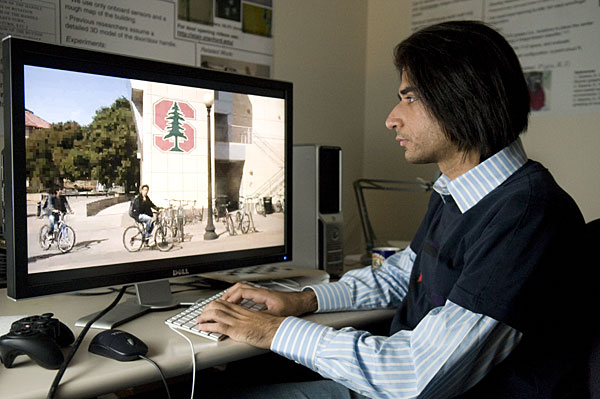
Graduate student Siddharth Batra. Photo c/o Stanford
Desktop computers have one obvious drawback — they can’t go anywhere. While that can be a negative, it can also be seen as a positive since the set up computer workspace can be dedicated to online school, helping to prevent procrastination. Desktops are more affordable and customizable with many possible options for monitor, keyboard, and mice. Desktops typically have better quality built-in speakers compared to the onboard speakers on a laptop.
Which computer you choose for online school will depend on your preferences, budget, and personal work style. Personally I have used both laptop and desktop computers for education and see the benefits with both.
What is your preference? Desktop or laptop?
Similar Posts
- A Student’s Guide to Computers for Online School: Upgrading RAM
- A Student’s Guide to Computers for Online School: Keyboards & Mice
- A Student’s Guide to Computers for Online School: Internet Connection
- A Student’s Guide to Computers for Online School: Flash Drives & External Hard Drives
- Guest Blog: 6 Apps Students Should Never Pay For
If you have valuable information to present to our readers, we would love to hear from you. Please leave comments or contact us about guest blogging. We're always looking for guest bloggers. If you are interested, please contact us through our contact form on our contact page. We appreciate you taking the time to read our article and hope it has benefitted you in some way.
[...] Desktop vs. Laptop [...]
Pingback by A Student’s Guide to Computers for Online School: Keyboards & Mice | My Colleges and Careers Blog — August 2, 2010 @ 3:51 pm