Articles Tagged With student’s guide to computers

A Student’s Guide to Computers for Online School: Keyboards & Mice

August 2nd, 2010 by Sarah Ward

As you get your computer ready for online school, two integral things you can’t be without are keyboards and mice.

A Student’s Guide to Computers for Online School: Keyboards & Mice

Typically when you buy a computer from the store, it will come with a default keyboard and mouse. It may be an easy assumption to make that one keyboard is good as any other, but not all keyboards are created alike. While they will serve the same function, since you will be on the computer working on assignments many hours of each day, it’s important that the keyboard be comfortable for you.

Some online school students may choose ergonomic keyboards while others may simply opt for a gel pad to support their wrists when they type. Without an comfortable and effective keyboard, you can develop problems with your wrists including tendinitis or carpal tunnel syndrome. Choose a keyboard that works for you!

Like a keyboard, you’ll want to make sure your mouse is comfortable and reliable to enhance your online school experience. Some mice have a few buttons, others have dozens, allowing you to program different buttons to do different tasks, such as cut and paste. Some mice even have no buttons at all and simply react to the movement of the hand. You also have the option to have wired or wireless mice depending on your preference as well as bluetooth mice.

If you want something really cool, check out these Tron-inspired gaming keyboard, gaming mouse, and mouse mat. That’s right, they glow blue.

Next up! Flash Drives and External Hard Drives.

A Student’s Guide to Computers for Online School: Internet Connection

July 30th, 2010 by Sarah Ward

To stay connected with your online school community, an essential component of a student’s guide to computers is a reliable internet connection. When considering an internet connection, people often choose based on price, speed, and dependability.

A Student’s Guide to Computers for Online School: Internet Connection

A spotty internet connection can translate into delayed email notifications and even late assignments, which has the potential to diminish your GPA at your online school.

Wired vs. Wireless

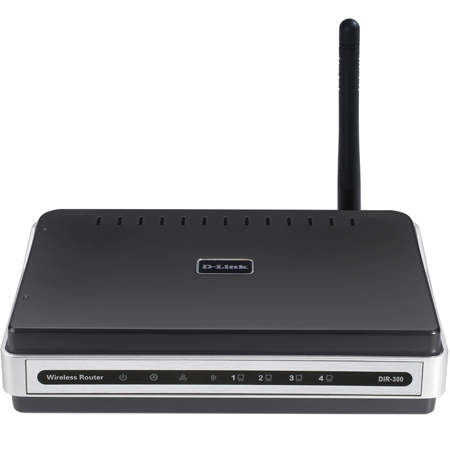
Wireless Router

The days of dial-up internet are behind us leaving the options of direct internet connection through a network cable or a wireless router. Particularly for laptop owners such as myself, having wireless internet is a big perk.

Wireless internet is achieved through a wireless router which, in many cases, is provided with the subscription of internet services by your local provider. Since there is a wide range of routers, it’s best to do some research or talk to the person at the electronic store to determine what the best choice would be for your needs. There may be rental options available also.

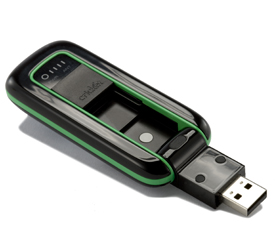
Wireless Broadband

Some cell phone providers even have wireless broadband services that allow you to connect to the internet at home and anywhere you go with no cables or fuss.

Check out your local internet service providers and compare different options based on your needs. As an online school student on a budget, you may want to consider sharing an internet connection with your neighbor to cut the bill in half.

Do you have a preference between wired and wireless internet?

A Student’s Guide to Computers for Online School: Upgrading RAM

July 30th, 2010 by Sarah Ward

As you prepare to start your first semester of online school, you’ll definitely need a computer. This series is designed for students that aren’t tech-savvy and may not be familiar with all the computer terminology. Whether you have a laptop or desktop, from time to time, you’ll likely need to upgrade your RAM.

A Student’s Guide to Computers for Online School: Upgrading RAM

Has your computer processing slowed down to a crawl? Does it take forever to open up documents and the internet? Is your computer slow as molasses? These are some tell-tale signs that you may need to upgrade your RAM. RAM stands for Random Access Memory and is essentially your computer’s memory. RAM is is an affordable way to upgrade your computer, and improve its speed and functionality without shelling out money for a brand new computer.

To break to down for you, RAM is temporary memory on your computer. In other words, while you are working on an essay in Word with several additional documents open for research, your computer’s RAM is temporarily saving your work until you hit save. Once you save it, your essay is saved to the hard drive for permanent storage. When you click “save,” your overwhelmed RAM is relieved of the pressure of having to juggle so much information and things speed up on your computer.

If you’re not sure how to install RAM yourself, you may seek help from your favorite computer tech or electronic store. One thing to keep in mind is this might void your manufacturer’s warranty. If you have a Mac, contact your local Apple store and get their professional advice about how to improve your computer’s performance.

Online school shouldn’t take any longer than it needs to, and upgrading your computer’s RAM can help speed up your computer’s operating system which will help speed up the whole educational process.

Have you ever upgraded the RAM in your computer? Has it helped improve the speed of your computer?

A Student’s Guide to Computers for Online School: Desktop vs. Laptop

July 29th, 2010 by Sarah Ward

Fall presents an opportunity for a fresh start for students as it begins a new school year. One of the benefits of online school is that most programs allow you to start anytime — you don’t have to wait for September.

As an online student, one thing you can’t do without is a computer. If you aren’t familiar with technology, choosing a computer may seem like a daunting task, but things will seem simpler with today’s blog as we break down computers into digestible pieces that make sense.

When we strip everything else away, computers comprise of two parts: hardware and software. Hardware refers to the physical components that can be seen and touched, whereas software refers to the systems working when the computer is on. The first part of purchasing a computer will require getting the right hardware and type of computer which we will look at today.

A Students Guide to Computers for Online School: Desktop vs. Laptop?

Brands aside, you can choose from two types of computers: desktops and laptops. Desktops are stationary and usually used on desks at offices and schools, while laptops are a portable computer that can sit on your lap, as the name implies.

Laptops are a popular choice among students as they provide flexibility and freedom, allowing them to take notes directly onto their computer. Laptops are typically more expensive when compared to their desktop counterparts and can be harder to customize. Since a laptop is so mobile, it’s easy to find yourself easily distracted on the couch in front of the TV trying to study on your laptop.

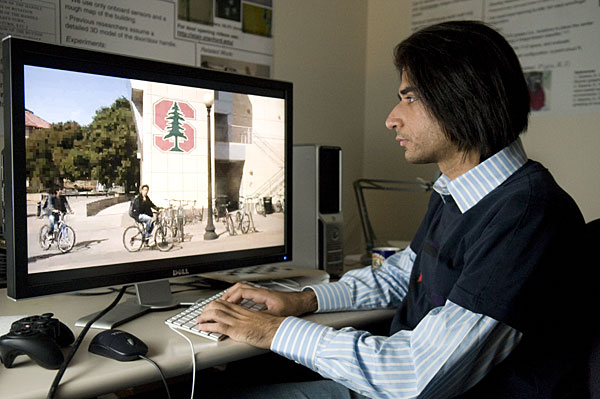
Graduate student Siddharth Batra. Photo c/o Stanford

Desktop computers have one obvious drawback — they can’t go anywhere. While that can be a negative, it can also be seen as a positive since the set up computer workspace can be dedicated to online school, helping to prevent procrastination. Desktops are more affordable and customizable with many possible options for monitor, keyboard, and mice. Desktops typically have better quality built-in speakers compared to the onboard speakers on a laptop.

Which computer you choose for online school will depend on your preferences, budget, and personal work style. Personally I have used both laptop and desktop computers for education and see the benefits with both.

What is your preference? Desktop or laptop?