Articles Written Within Online College

Make Online College Your New Year’s Resolution

December 23rd, 2010 by Rachel Call

What’s on your list of New Year’s resolutions? Is online college among lofty goals like losing weight and writing a novel?

A survey conducted by FranklinCovey Productions found that the top three New Year’s resolutions for 2010 were: to improve financial situation, to lose weight, and to develop a healthy habit like exercising or healthy eating. So, if you are already working toward such praise-worthy goals? Why not add online college to the list.

Here are just a few of the reasons we think you’ll be glad you did:

  1. You will earn your degree.
  2. You can stay qualified in your industry or get re-certified in your field.
  3. You can work on school work while keeping up with your career and full-time job.
  4. You can take online courses to learn a new hobby.
  5. You can qualify for promotions.
  6. You can finally land that dream job.
  7. You can change career paths to something you enjoy more.
  8. You can earn more money.
  9. You will be able to take online college courses wherever you are, even when you travel.
  10. You will set your own, flexible course and graduation schedule.
  11. You can find an online school that has a program specializing in your field of interest.
  12. You can take care of responsibilities at home, like kids, while you take online courses.
  13. You can make yourself more marketable by becoming specialized in a specific area of your industry.
  14. You can finish the degree you already started.
  15. You can network with fellow professionals in your industry.
Popular Search Terms:

what\s on your new years resolution list?be college careers to take onlinecareer resolution blogmy new years resolution about study collegeMy new year\s resolution get a college degreemy year online collagenew year resolution earn degreenew year\s resolution career beauty,

10 Nerdy Christmas Decorations

December 22nd, 2010 by Rachel Call

Not every online college student is a nerd. However, most are so overwhelmed with homework, tests, teachers, forums, group discussions, and readings that they can appreciate the nerd’s view of Christmas. Here are 10 nerdy Christmas decorations those earning their online college education will love:

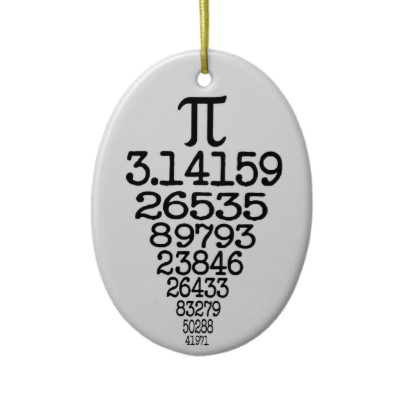
1. Christmas Pie

Everyone knows pie goes with the holidays. So why not take it literally and put 3.14159 (and so on) on your Christmas tree?

Image from zazzle.com.

2. Abbreviated Santa

You can’t fit “Ho, Ho, Ho” on a button. Solution: Ho cubed.

Image from salepricefinder.com.

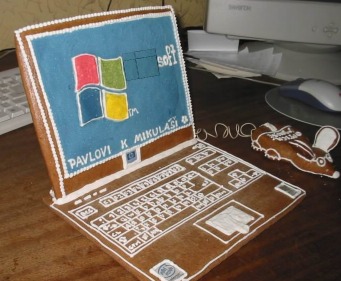
3. Gingerbread Hou..I mean Laptop

Nothing brings the Holiday spirit like a gingerbread laptop complete with a “mouse.”

Image from boingboing.net.

4. Wear Your Heart On Your Tree

You know your special someone really loves you for who you are when they say it on the Christmas tree.

Image from cafepress.com.

5. Wrap it in Binary

Yep, it’s what you think it is. Binary gift wrap. Now the question: is the gift or the paper better?

Image from techdigest.tv.

6. Twitter your Tree

Twitter is taking over. Now even our ornaments have hashtags.

Image from cafepress.com.

7. Laptop Ornament

You love your laptop. Why not hang one on your tree?

Image from christmasgiftnow.com.

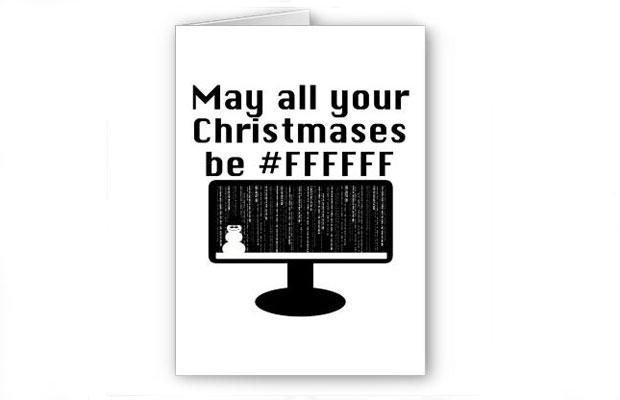
8. Say it with hexadecimal color codes.

Anyone who knows their colors will get a kick out of this card.

Image from eatliver.com.

9. Avoid Confusion

The last thing you want is for Santa to be confused about which stocking is yours.

Image from whee.tv.

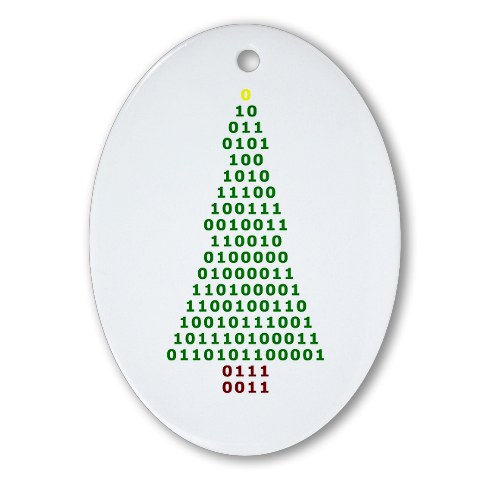
10. Binary Ornaments

Apparently wrapping paper isn’t the only thing that comes in binary code this Christmas.

Image from cafepress.com.

Popular Search Terms:

masters degree decorationsnerdy christmas wrapping papernerdy college majors,

How to Take Advantage of Online School Over the Holidays

December 21st, 2010 by Rachel Call

Not all students are as lucky as those earning their online college education. As a student at a traditional school, sometimes Christmas break is preceded by last-minute cramming for finals, term papers, group projects, presentations, and all kinds of stresses. However, as an online college student you get to set your own schedule, meaning you can plan ahead to make sure you have relaxing and happy holidays.

Online college courses often require papers and tests. But since there is no getting around them, why not schedule them for a time that is convenient for you, instead of working around a campus schedule? With online classes you can do just that. Plan ahead and turn in papers early and if you can, take exams before they are due.

Another benefit of online school is that you can take it wherever you are. Heading home for the holidays? Going on a cruise? Visiting friends across the country? No problem! Pack up your laptop and take school with you. If you don’t have time to plan ahead, need to turn in assignments over the holidays, or are required to participate in online forums over your vacation, you can do all that with online college and not worry about having to be back in town for your school schedule.

Here are the best ways to take advantage of online school over the holidays:

  • Plan ahead so you don’t have to do homework.
  • Take exams early if you can so your break can be stress-free.
  • If you can’t get around taking a break from your classes, bring your laptop with you and take online school wherever you go.
  • Stay in touch with your instructor so you don’t miss deadlines or important information.
  • Work at your own pace. If you can’t stop school all together, at least change your schedule so you can slow down and enjoy Christmas!

Popular Search Terms:

how to take advantage of school,

Online College Student’s Christmas Wish List

December 19th, 2010 by Rachel Call

Do you have an online college student on your Christmas list? Thinking about splurging on yourself this holiday season? Here’s our list of five must-have gifts for someone working to earn their online college education:

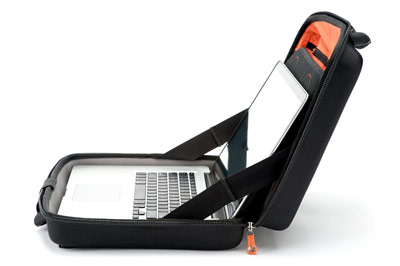
VR-BLK6s

1. Laptop Bag - Every student enrolled in online courses uses a laptop. So why not get them a stylish and functional bag so they don’t break their back?

2.USB Drive - Online college courses consist of homework done on a computer. A USB drive will make transporting files and submitting homework a snap for your friend enrolled in online school.

3. iTunes Gift Card - Earning an online college education doesn’t have to be all work and no play. Give your friend an iTunes gift card and next time they need a study break they will be grateful for some great music!

4. Planner - An online college student can always use a planner to schedule tests and study groups, and to set goals and keep track of homework assignments.

5. Wireless Mouse - Why not get the online college student on your list a wireless mouse so they can take their classes on the road and work on homework no matter where they are?

Popular Search Terms:

college kid christmas liststylish college bagchristmas list 2010 college studentschristmas wish list for college studentscollege student christmas listcollege wish liststudent christmas wishstudents christmas wish listchirstmas wishlist for college studentswhat to get college students for christmaswhat to get your college student for christmaswish list for studentswishlist for a studentcollege students wish listcollege students christmas listchristmas list for college studentschristmas list for studentschristmas wish list 2010 for college studentscollege christmas listcollege christmas list 2010college student christmas list 2010college student christmas wish listcollege student wishlist 2010wishlist for college,

Five Online School Pranks You Have to Try

December 18th, 2010 by Rachel Call

Most students know that dorm pranks are as much a part of the college life as late-night studying and cramming for finals. But what if you are getting an online college education? Don’t worry, there are still plenty of entertaining and funny, yet harmless, pranks that will save you from textbook-induced boredom.

Photo courtesy of kryptyk on Flickr.

Try these easy jokes to spice up your online courses:

1. Microsoft Word Spell Check Gone Wrong
Lots of people have heard of this one, but have you actually tried it? Just go to tools, autocorrect options, check the box next to “replace text as you type” and then fill in the blanks. Then watch as your friend’s frustration grows as their name is replaced with an insult or no matter how hard they try they can’t seem to spell “online school” right.

2. Curse of the Side-Ways Screen
This is an easy one to pull off if you only have a few seconds. Next time your friend steps away from their computer, reach over and press Ctrl-Alt-up or down and the image on their screen will magically rotate. Your friend will have no idea what hit them.

3. Right Click and Left Click Confusion
Want to really mess with someone’s mind? Try changing the right and left click functions in the “mouse” section of the control panel. Watch your friend try to do their homework with a mouse that won’t work!

4. Always Busy
Watch your study buddy sit and wait for their computer while it’s “busy”…when all along you know it’s not. Just go to the control pannel and in the mouse section, change the pointer from an arrow to an hourglass and let the fun begin!

5. Broken Mouse
An oldie but a goodie. Put a piece of tape over the mouse’s laser sensor and watch your frustrated pal try to get their computer to work.

Popular Search Terms:

how to get the right click mouse to work on schoolschool pranks,

Ten New Year’s Resolutions That Will Help You Succeed With Online Colleges

December 17th, 2010 by michaelm

Thinking of improving yourself and getting an education? Why not take that step to get that degree you want or to learn more about something you’re interested in? Here’s ten New Year’s resolutions that will help you succeed with online colleges.

1. Flexibility: If you have a job or a family, taking classes online will give you the flexibility to study on your own time. This is a real benefit for those of us who are so busy and want to get a degree.

2. Motivate Yourself: By enrolling into an online college, you’re motivating yourself to learn more and improve your knowledge. Take that first step towards learning.

3. It’s Cost Effective!:
Staying home and taking classes online is cost effective. You won’t be driving to classes and you won’t have to pay for room and board at a campus.

4. Improve Your Technology Skills: The workforce today demands employees with good computer skills and the ability to keep up with technology. As an online student, you’ll be using your computer most of the time and participating in online discussions, online classes, and online videos.

5. Train for a Better Economy: While the economy is presently in a downswing, this is the perfect time for you to gain knowledge and expertise in your field of choice. Once the economy is better, you’ll have your degree and be ready for opportunities.

6. Work in the Field of Your Choice: If you’re currently working in the field of your choice, but want to advance, getting an online degree will help you gain knowledge in your field and build skills necessary to your job.

7. Self-Improvement: By taking classes online and earning a degree, you’ve taken steps to improve yourself. Your learning experience will always be with you and you’ll have resources to fall back on when necessary.

8. Network with Students and Professors:
As a student at an online college you’ll be able to network with other students and professors who share the same interests that you do.

9. It’s Green!: By taking classes online at the college of your choice, you won’t have to spend gas money by driving back and forth to classes.

10. Earn Your Degree:
Once you earn your degree, no one can take that away from you.

Popular Search Terms:

technology educator new year resolutions,

How To Get Ready In January To Go Back To College In September

December 16th, 2010 by michaelm

New Year’s resolutions are a cliche for a good reason - when you start to plan in January to go back to college in September, you have enough time to apply and enroll for the next school year. Here is a list of easy steps to take to decide which college to attend, apply, and enroll in time to start your program:

- Evaluate your current educational credentials. While in the past credits that were more than a decade old and not included in a degree often were considered expired by educational institutions, today many colleges are willing to accept them as transfer credits, which can drastically reduce the number of classes you have to take to achieve your degree. If you no longer have your old transcript, request one to ensure that your grades will not pull down your new GPA before you even enroll.

- Consider why you want to return to college: Is it to grow in your current career, or attempt a new one - or is it to satisfy a desire to learn more about a topic? Speak with admissions counselors at your area community and four year colleges to determine what degree you need to achieve your professional aspirations.

- Create your own checklist of application materials, since you will have to submit paperwork ranging from high school transcripts to an essay, and even letters of recommendation - and missing even one of the required items will delay your application and possible cost you your admission.

- While most colleges make admissions interviews optional, an interview can be the difference between an acceptance and a rejection letter. Dress to impress, and be ready to talk about yourself!

- Once you have been accepted to college, and have decided which school to attend, take advantage of your new college adviser to map out a plan to take all required courses in a time frame that you are comfortable with.

Popular Search Terms:

back to college january listgetting ready back to collegewhen do schools start back januarywhen do students go back to college in january,

Keeping Up With Your Homework for Online Courses During the Holidays

December 15th, 2010 by michaelm

The holidays are the most distracting time of year for all students - whether they are in first grade or their final year of medical school - since homework does not cease for the month of December. It is even more challenging for students in online courses to stay focused and keep up with their homework during the holidays, since you do not have to physically attend class each week leading up to the holidays. It can be easy to simply not turn on your computer and log onto your weekly lecture and upload your papers, but your academic success depends upon keeping up with your homework - regardless of outside distractions.

The best way to keep up with your homework during an online course is to get ahead of the workload, knowing that when the holidays come you will not want to be stuck at your computer, writing papers. Take the time at the beginning of the semester to evaluate your syllabus, and make a schedule to get ahead of your reading by doing a little extra each week. Plan to do the bulk of your research or other long term projects before Thanksgiving, so that during the weeks between Thanksgiving and Christmas you can enjoy visiting with your family and friends without feeling guilty about giving a less than stellar academic performance.

If you are unable to avoid having homework during the holidays, whether due to a surprise paper assignment or poor planning beforehand, finding a way to focus on your homework despite the call of holiday parties and other festivities, is essential. If your family is your main distraction, consider staying late one night a week at work to do your homework. If being on a computer with access to the internet is challenging your focus, then pull the plug and head off to the public library to do your reading.

Staying on track during the holidays is challenging, but careful planning and an extra dose of self discipline will put you in a position to enjoy the holidays and academic success.

Popular Search Terms:

How to focus on homework during the holidays,

Funniest College Fight Songs

December 15th, 2010 by Rachel Call

College fight songs have come a long way since the oldest one on record: Boston College’s song “For Boston” written in 1885. However, some songs still have interesting lines that make us wonder.

Even if you attend an online college chances are your school has a fight song. So, find out what it is and cheer your team on!

While you may know your college’s song by heart and belt it out proudly every time your team scores or just enters the field, here are some entertaining lines in college fight songs from around the country:

Photo courtesy of JMRosenfeld on Flickr.

Georgia Tech

We’ll drop our battle axe on Georgia’s head, CHOP!
When we meet her our team will surely beat her

Alabama Crimson Tide

Go teach the Bulldogs to behave,
Send the Yellow Jackets to a watery grave!

Utah

Who am I, sir,
A Utah Man am I!
A Utah Man, sir,
Will be ’til I die.
Ki-yi!

Florida State

You got to fight, fight, fight for FSU!
You got to scalp ‘em Seminoles!

Wyoming

When they hear him come, because the western folks all know,
He’s a high fallutin’, rootin’ tootin’
Son of a gun from old Wyoming
Ragtime Cowboy, (talk about your cowboy), Ragtime Cowboy Joe.

Illinois

Oskee-wow-wow Illinois!
Our eyes are all on you.

Clemson

Long ago way down in the jungle
Someone got an inspiration for a tune
And that jingle came from the jungle
Became famous mighty soon

Buffalo Bulls

So Hit ‘em high, Hit ‘em low, Throw ‘em high, Throw ‘em low
Fight for your dear old Bulls. (Go! Bulls! Go!)

Appalachian State

Hi-Hi-y-ike-us
Nobody like us

Popular Search Terms:

funniest college fight songssongs from colleges,

Desktop Shortcuts That You Should Have For Your Online Courses

December 14th, 2010 by michaelm

When you are taking online courses, your computer becomes your classroom, library, study space, and then some - so having the right shortcuts on your computer desktop is a must.

- Your online portal: Put a shortcut to the online portal that you use to access your online course materials.

- Microsoft Word:
Make it easy to start typing that big paper

- Course folder: Create a folder within your My Documents folder for each online course and store all of your papers, spreadsheets, and any other works in process there.

- Course syllabus: You will be referring to this document constantly throughout the semester to know when projects and papers are due, so keep it within easy clicking with a shortcut.

- Library link: If your course involves doing research through your library’s online resources, you can reduce the amount of time it takes to get to the online resources by saving a shortcut on your desktop.

- Firefox or Internet Explorer: Whatever your internet browser of choice, to complete your online courses, you will be accessing it quite a bit. This shortcut should also be put on your computer’s taskbar, so you can open it without downsizing other windows first.

- My Computer: For those files that you access less often, use My Computer to browse your way to them.

- Google link: Place a shortcut on your desktop to the search engine giant for quick reference, though, of course, you will be using academic sources for your papers.

- Paint: When you need to send a screen-shot to tech support to find out why you can’t access the online course’s online portal or the library’s online academic resources, click CTRL+ALT+PRTSC, open Paint and click paste. Then save the picture and e-mail it to the IT support person instead of wasting time reading error messages to them over the phone.

Popular Search Terms:

shortcut for courseshortcuts 4 desktop,